
All File Manager Clean
Amo CidadesTools
3.447.00 Reviews
- Version
- 3.0.0
- Installs
- 100.00K
- Age Rating
- Everyone
Screenshots
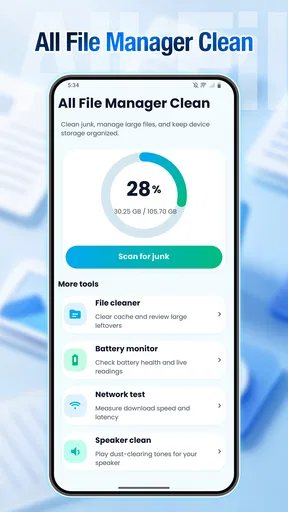
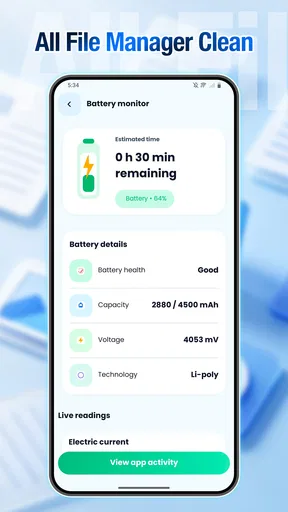
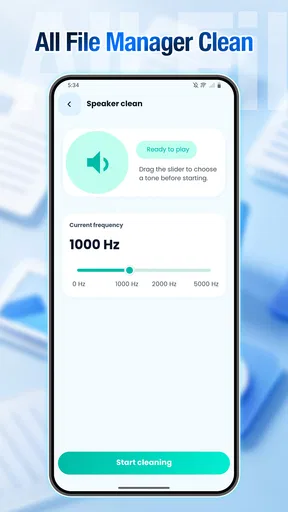
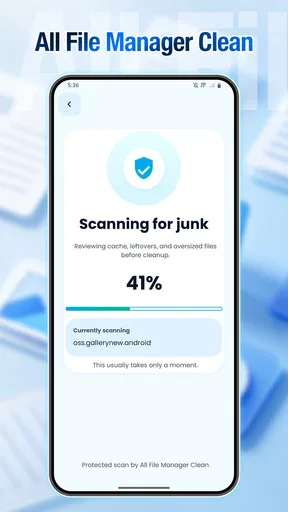
Our Review of All File Manager Clean
 Analysis by Appyee
All File Manager Clean is the kind of Android tool that makes a strong first impression because it addresses two chores most people postpone: finding files and clearing unwanted clutter. I tested it with that practical question in mind: after the initial cleanup, would I still want it on my phone? My answer is cautiously positive. It is useful as a lightweight companion for organizing storage, but its lasting value depends on whether you prefer a guided cleaning routine or a more traditional file manager with deeper control.
Developed by Amo Cidades, this free tools app is aimed at everyday phone maintenance rather than advanced file administration. Its store positioning presents it as a smart file-management and phone-cleaning tool, while the shorter description focuses on managing and cleaning files in one place. That combination is appealing for someone who does not want separate apps for browsing folders and dealing with accumulated junk.
The app is rated for Everyone, runs on Android 9 and later, and its current version is 3.0.0. It has passed the early discovery stage with over one hundred thousand installs, although its average rating sits at 3.4 from roughly two hundred ratings. I read that overall impression as a useful warning: the concept is easy to understand, but not every user will find the experience equally smooth or complete.
From an attractive first cleanup to a repeatable routine
I’d use this section to look at what turns a one-off tidy-up into a routine that feels worth repeating. The useful test is not how much clutter disappears on the first visit, but whether I can make the next check quicker by choosing a clear trigger and a narrow focus. From there, I’ll consider whether the app continues to earn a place on the phone once the initial sense of progress wears off.
Why the first week feels useful
During the first week, the strongest benefit is consolidation. Instead of opening a file browser for documents, a gallery for media and a separate cleaning utility for storage checks, I can begin with one tool and decide what deserves attention. That reduces the mental effort involved in a basic phone tidy-up, especially when the real problem is not a single enormous file but a confusing mixture of downloads, old images and items I no longer recognize.
I found the most sensible approach was to treat the app as a review desk rather than an automatic delete button. I would inspect a category, open or identify the item where possible, and only then remove it. This matters because cleaning tools can make familiar labels look more disposable than they really are. A screenshot may be unnecessary today but important tomorrow; a downloaded document may be old but still needed for a return, appointment or school task.
The file-management side also has value before cleaning begins. Browsing first gives me context. If I see a crowded download area, I can separate documents I need from temporary files instead of reacting only to a storage warning. That simple order of operations is one of the better ways to use this kind of app: understand what is taking space, organize the worthwhile material, then remove the obvious leftovers.
A realistic example is a phone used for messaging, work and occasional travel. After several weeks, it may contain boarding documents, duplicated photos, images received in group chats and files downloaded merely to view once. All File Manager Clean is helpful when I want one place to start sorting that mixture. I would not hand the process over blindly, but I would use it to shorten the search.
What to do before deleting anything
My first practical tip is to create a temporary “keep” habit outside the cleaning session. Important documents should be moved or backed up before I begin removing clutter. I also check recent files rather than assuming that an old-looking filename is useless. The app can make the cleanup stage more convenient, but it cannot know why a particular file matters to me.
My second tip is to clean in small passes. A short session focused on downloads is safer than trying to approve every category while distracted. I prefer to finish one group, confirm that the phone still behaves normally, and then continue. This approach is slower than pressing a single sweeping command, but it lowers the chance of deleting something that later becomes difficult to recover.
The third tip is to use file management and cleaning for different purposes. File management is about locating, checking and arranging. Cleaning is about reducing unnecessary material. When those tasks are mixed together, it is easy to confuse “not currently visible” with “not needed.” Keeping that distinction in mind makes the app much more dependable in daily use.
Where it fits beside familiar alternatives
Compared with a standard file manager, this app is more approachable for someone who wants storage maintenance to be part of the same workflow. A conventional manager may offer a clearer folder structure and more direct control, but it can feel like an administrative tool. All File Manager Clean is better suited to the person who starts with the question, “What can I safely tidy?” rather than, “Which exact folder contains this file?”
Compared with a dedicated cleaning utility, its advantage is the file-browsing context. I can investigate what I am about to remove instead of relying entirely on a cleaning summary. The trade-off is that a specialist file manager may be stronger for transfers, detailed folder operations or long-term document organization. If I regularly handle large collections of project files, I would want more than a simple maintenance-oriented tool.
It also differs from relying only on the phone’s built-in storage screen. The built-in option is often enough for a quick overview, and it has the advantage of being familiar and closely integrated with the operating system. This app earns a place when I want a more focused cleaning session and a separate interface for looking through files. It is not automatically better for every Android owner.
Does it keep earning space after the novelty fades?
Here I’ll weigh the app’s ongoing usefulness against the small but real effort of reviewing files before removing them. A repeatable routine can help me notice accumulation earlier, but it should not become maintenance for its own sake. The next section considers what would make that trade-off worthwhile over time, and when the phone’s existing storage tools may be enough.
The month-to-month value depends on a habit
After the first cleanup, the app’s value becomes less dramatic. Storage does not feel newly transformed every time I open it, and that is where many cleaning tools lose their appeal. I would keep this one for recurring maintenance rather than daily use. A short check every few weeks makes more sense than repeatedly scanning the phone without a clear reason.
My preferred routine is tied to predictable moments: after a trip, after finishing a large download project, or when messaging media begins to overwhelm the gallery. Those triggers are more useful than opening the app out of habit alone. They give the cleanup a purpose and make it easier to judge whether the result was worthwhile.
There is also a useful distinction between storage relief and digital organization. Removing unnecessary files may make the phone feel less crowded, but it does not automatically create a sensible archive. If I want documents arranged by client, year or subject, I still need to make those decisions myself. The app can support that process, but it should not be confused with a complete document-management system.
For a family member who dislikes technical settings, I can see the appeal lasting longer. A single maintenance tool may be easier to remember than several specialized options. For me, the app would remain installed only if its review-and-clean cycle stays quicker than opening the phone’s existing tools. Convenience has to survive the first week.
Who will appreciate it most
I think it suits casual Android users with crowded downloads, mixed media and little interest in learning a complex file system. It is also a reasonable choice for someone who wants a free tool and prefers to inspect storage manually with some guidance. The Everyone rating makes its intended audience broad, but broad accessibility does not remove the need for careful decisions.
It may also help people who frequently save files temporarily. Students downloading reading material, travelers collecting tickets and users who receive many images through group conversations can all benefit from a regular review point. The important word is “review.” The app is most valuable when it helps me notice accumulation before it becomes a crisis.
I would skip it if my main need is professional file handling. Users who move files between devices constantly, maintain elaborate folder structures or need specialized sharing and synchronization may be happier with a dedicated manager. I would also skip it if the built-in Android tools already give me a clear, comfortable way to inspect and remove clutter. Installing another utility is not useful merely because cleaning sounds productive.
The maintenance burden is small, but not zero
The app reduces the burden of finding clutter, but it does not eliminate the responsibility of checking decisions. That is the central trade-off. A cleaner interface can make the process feel easier, yet the consequences of a wrong deletion remain mine. I would never use a cleanup session as a substitute for backup, especially before removing personal photos or important documents.
There is a second kind of burden: attention. Every cleanup tool asks me to interpret categories, filenames and previews. If the phone is already busy or I am in a hurry, that extra decision-making can become tiring. The safest workflow is therefore deliberately unexciting: scan, inspect, delete only obvious items, and stop when the purpose of the session has been met.
Another practical limitation is that a tool like this cannot make poor storage habits disappear. If I keep downloading duplicate documents, saving every received image and never organizing completed projects, the same clutter will return. The app can become a useful checkpoint, but it cannot replace better choices in messaging, downloads and photo storage.
What may cause fatigue over time
The novelty fades when each visit produces the same broad promise of a cleaner phone but requires similar manual judgment. If I only gain a small amount of space, the session may feel less rewarding. That does not mean the app failed; it may simply mean that the phone is already reasonably maintained or that the remaining files are important.
The moderate average rating also suggests that expectations should stay realistic. Some people may want a fully automatic solution, while others may expect the depth of a dedicated file manager. This app sits between those two ideas. Its usefulness comes from combining access to files with a cleaning purpose, not from replacing every storage tool on the device.
I would also avoid turning it into a constant notification-driven ritual. A phone does not need to be cleaned just because a cleaner exists. Opening the app only when there is a clear storage problem or a completed activity keeps the experience practical and prevents maintenance from becoming another source of digital noise.
My long-term verdict
After the initial appeal, All File Manager Clean earns lasting space only for a specific kind of user: someone who wants a straightforward place to inspect files and perform occasional phone maintenance without committing to a complicated system. I like that it brings two related jobs together, and I find the combined workflow more useful than a cleaning screen that offers no context.
At the same time, I would not describe it as essential for every Android phone. A careful user with a capable built-in file browser may gain little, while an advanced user may quickly want more detailed controls. The app works best in the middle: more guided than a basic folder browser, but more hands-on than an automatic cleanup button.
My recommendation is to try it with a modest goal rather than expecting a permanent performance transformation. Start with downloads and obvious temporary material, protect anything important, and judge the app by how much time it saves during the next few maintenance sessions. If it makes that routine clearer, the free price is easy to justify. If it merely repeats information already available in your phone’s own tools, uninstalling it is the sensible choice.
In my experience, its strongest long-term feature is not a dramatic one-time cleanup. It is the possibility of creating a calmer, repeatable storage check. Keep it as a periodic inspection tool, not as an excuse to delete first and think later. That honest role is narrower than the broad promise of an all-in-one cleaner, but it is also where the app feels most dependable.
Verdict
Strengths of All File Manager Clean
- Supports browsing and organizing multiple file types in one place.
- Includes storage-cleaning tools to help remove unnecessary files.
- Simple interface makes common file tasks easy to access.
- Useful search and sorting options speed up file management.
- Can help identify large files that are taking up storage space.
Limitations of All File Manager Clean
- Cleaning suggestions may require manual checking before deletion.
- Some features may depend on Android version or device permissions.
- The interface can feel crowded when many tools are enabled.
- File previews may not work equally well for every format.
- Ads or premium prompts may interrupt parts of the experience.
Similar Picks in This Category
View All
Google LLC4.0

Gboard - the Google Keyboard
Google LLC4.5

Google Play services
Google LLC4.3

Google Play Store
Google LLC4.9

Files by Google
Google LLC4.5

SHAREit: Transfer, Share Files
Smart Media4U Technology Pte.Ltd.4.3
Frequently Asked Questions
What is All File Manager Clean used for?
All File Manager Clean is designed to help you browse, organize, and manage files stored on your mobile device. It can provide access to common folders, documents, images, videos, downloads, and other file types in one place. Depending on the version installed, it may also include tools for identifying unnecessary files and freeing storage space.
Does All File Manager Clean require access to my files?
Yes. A file manager needs storage permission to display, open, move, rename, copy, delete, or share files on your device. Android or iOS may ask you to approve these permissions when you first use certain features. Before accepting, review the requested access and your device’s privacy settings, especially if you only want to use basic browsing or cleaning functions.
Can All File Manager Clean safely delete unwanted files?
The app may help identify temporary files, duplicate items, large files, or other content that appears unnecessary, but users should review the results before confirming deletion. Some files may be important to an application or personal workflow. It is recommended to check file names and locations carefully and keep a backup of valuable photos, documents, and videos before using any cleaning feature.
Is All File Manager Clean free to download and use?
Availability of free features, advertisements, subscriptions, or optional in-app purchases can vary according to the app version and the platform where it is downloaded. The basic file-management tools may be available without payment, while advanced cleaning or convenience features could require an upgrade. Check the official store listing for current pricing and subscription terms before confirming a purchase.
Can I use All File Manager Clean to manage files in cloud storage or external devices?
Support for cloud accounts, USB storage, memory cards, or other external locations depends on the device and the specific version of All File Manager Clean. Some file managers can connect to additional storage services, while others focus mainly on local files. Review the app’s supported locations and permission requirements to confirm whether it meets your file-management needs.
